
Volume Button1.0 - Google Play
You'll be able to see results in few seconds.
Publisher Description
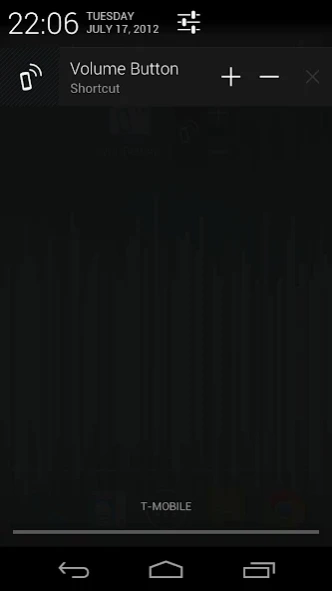
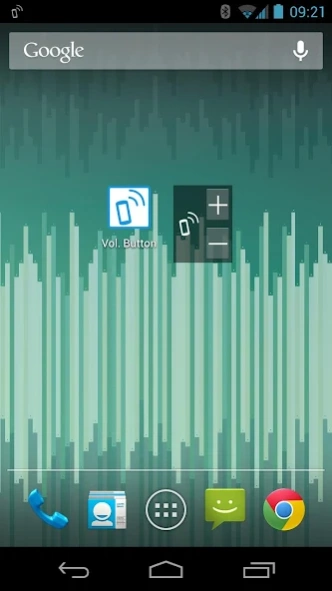
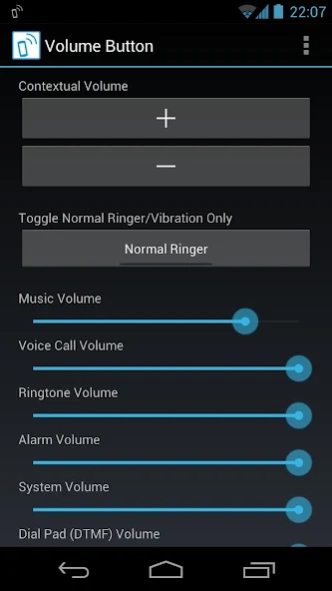
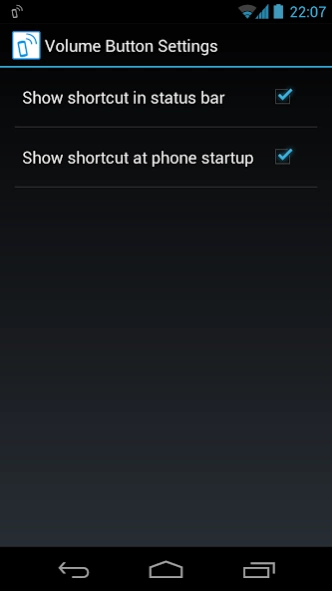
Volume keys dying? Save your phone with ubiquitous on-screen volume control.
[Introduction]
This app provides you an alternative option to control the phone volumes via on-screen touch buttons. It gives you access to volume adjustment as convenient as the hardware buttons so you can lengthen the lifetime of the hardware buttons or do without them. The hardware volume keys do not last forever: mine are no longer functional. If your volume keys are gone as well, this app will re-enable your phone to serve you like it did before. Also, this app includes no unreasonable permissions or annoying ads. So try this now risk-free: I will refund in full at your request!
[Features]
1. Easy and ubiquitous access to volume control from status bar shortcut (available on all system versions) and direct control (available for HoneyComb+ due to system limitations) to small 1x1 widget.
2. Simple, functional, and elegant design of both layout and code: the app is consistent with the look-and-feel of your system and the size is tiny.
3. No nonsensical permission demand, no ads, it only does what you expect.
4. Enable fine control over every individual volume streams (more detailed than those offered in System Settings).
5. Fine-tuned compatibility for a wide range of devices. I spent a lot of time getting all layouts and capabilities right for every supported Android versions and screeen sizes.
[Permission]
run at startup: used to start a status bar shortcut/compact control after your phone starts up (so you don't need to). This feature can be turned on or off in settings.
About Volume Button
The company that develops Volume Button is Falcon Dai. The latest version released by its developer is 1.0.
To install Volume Button on your Android device, just click the green Continue To App button above to start the installation process. The app is listed on our website since 2013-09-18 and was downloaded 0 times. We have already checked if the download link is safe, however for your own protection we recommend that you scan the downloaded app with your antivirus. Your antivirus may detect the Volume Button as malware as malware if the download link to com.falcondai.android.release.volumebutton is broken.
How to install Volume Button on your Android device:
- Click on the Continue To App button on our website. This will redirect you to Google Play.
- Once the Volume Button is shown in the Google Play listing of your Android device, you can start its download and installation. Tap on the Install button located below the search bar and to the right of the app icon.
- A pop-up window with the permissions required by Volume Button will be shown. Click on Accept to continue the process.
- Volume Button will be downloaded onto your device, displaying a progress. Once the download completes, the installation will start and you'll get a notification after the installation is finished.
Program Details
System requirements
Download information
Pricing
Version History
version 1.0
posted on 2013-09-19
Initial release.
Disclaimer
Official Google Play Link
We do not host Volume Button on our servers. We did not scan it for viruses, adware, spyware or other type of malware. This app is hosted by Google and passed their terms and conditions to be listed there. We recommend caution when installing it.
The Google Play link for Volume Button is provided to you by apps112.com without any warranties, representations or guarantees of any kind, so access it at your own risk.
If you have questions regarding this particular app contact the publisher directly. For questions about the functionalities of apps112.com contact us.
